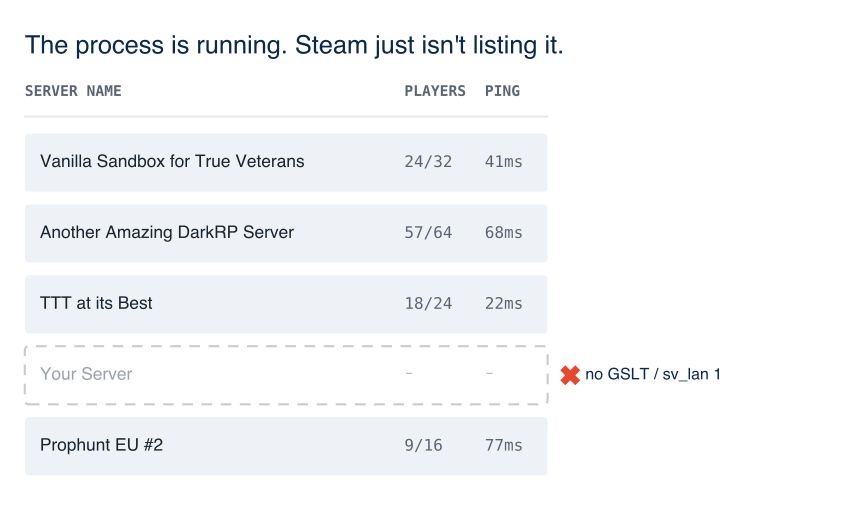
Owners usually describe this as “the server is up but nobody can find it.” The install can be fine. The internet server browser is a separate path: Steam has to accept the game-server account, the process must not be marked LAN-only, and the query port has to be reachable from outside.
Two different App IDs
SteamCMD installs the dedicated server as app 4020. The Game Server Login Token is created for the base game App ID 4000. Mixing those up is a common first-server mistake. Facepunch’s dedicated-server page treats GSLT as mandatory after install: ranking is penalized if you skip it. The token itself is created on Steam’s Game Server Account page, then passed on the command line:
+sv_setsteamaccount YOURLOGINTOKENHERE
Each physical server needs its own token. Reusing one token on two instances is the documented cause of Connection to Steam servers lost. (Steam error code 6) and clients getting kicked. Changing the Steam account password invalidates every active GSLT; you regenerate them on the same Steam page. An invalid or expired token prevents the server from starting at all.
Since the May 2020 update, servers without a GSLT take a severe penalty in server-list ranking. That is not the same sentence as “it will never appear.” If you cannot find the server even on a direct IP connect, look past ranking and check LAN flags and UDP next.
sv_lan, hide_server, and when server.cfg is too late
sv_lan 1 is LAN-only. Facepunch’s command-line notes are explicit that sv_lan 1 must be set before the server is started (or you changelevel): putting it only in server.cfg is too late because that file runs after the listen/LAN decision. For a public dedicated box you want sv_lan 0.
To keep a development instance off the master list on purpose, the GSLT wiki tells you to use +hide_server 1 rather than a fake token. If a production server was copied from a test start script, that flag is the first thing to grep.
sv_location is a separate convar (ISO 3166-1 alpha-2 flag, max 5 characters). It does not list the server; it only sets the flag icon. Missing it is not why the row is absent.
Inbound UDP, including CGNAT
The game has to answer the same query the server browser uses. If nothing can reach the process on the game port, the master list has nothing useful to show. Typical Source dedicated servers listen on UDP 27015 unless you changed -port. That path is host or ISP configuration, not a Lua addon.
If you are hosting at home, carrier-grade NAT is a frequent reason inbound UDP never arrives. It looks identical to “not in the list.” A VPS or gameserver product that gives you a public IPv4 address avoids that class of failure; this is a routing fact, not a recommendation of any named host.
What this is not
A missing browser row is not tick-rate lag. That’s a different failure mode, covered in Why Garry’s Mod Won’t Scale on Threads. If players can connect by IP but the list is empty, start with GSLT, sv_lan, hide_server, then UDP.
Related service: new server setup.